 Sign In


 Ubersuggest
  AnswerThePublic

Key Takeaways
- You don’t need dozens of tools to start. A small, focused stack covering SEO, analytics, email, and social is enough to get traction.
- The right tools save time and reduce guesswork. Platforms for keyword research, analytics, and automation help you make better decisions faster.
- SEO tools should be a priority early. Keyword research and site optimization drive long-term traffic without ongoing ad spend.
- Analytics tools are non-negotiable. If you’re not tracking traffic, behavior, and conversions, you’re making decisions blind.
- Email marketing tools help you own your audience. Social platforms can change, but your email list is an asset you control.
- Social media tools improve consistency. Scheduling and management tools help you stay active without manual effort every day.
- Free tools can take you far in the beginning. Many platforms offer free tiers that are enough to validate your strategy before scaling.
- As your business grows, your tool stack should evolve. Start simple, then invest in more advanced tools once you have clear traction.
Did you know there are more than 30 million small businesses in the United States alone?
With a number like this, small business owners need a competitive edge. If you are building a business, chances are you’re looking for ways to get your leg up on the competition. To accomplish this, you’ll need a good marketing strategy and access to the best digital marketing tools.
In this post, I’m going to outline 22 digital marketing tools for small businesses. You may be familiar with a marketing tool or two in here; others might be new to you.
From simplifying your social media marketing efforts and project management to finding freelancers, each of these tools will help you get the competitive edge you’re after.
23 Online Marketing Tools for Small Businesses
Here are some online marketing tools we’re going to cover in more detail that will make running a small business easier.
| Tool | Category | Best For | Free Option | Standout Feature |
| Omnisend | Email & SMS Marketing | Multi-channel email and SMS campaigns for e-commerce | Yes (up to 250 contacts) | 24/7 live chat support with under 5-minute response times, included on the free plan |
| MailChimp | Email Marketing | Building an email list from day one | Yes (up to 2,000 subscribers) | One of the longest-standing email platforms, founded in 2001, with self-service support and a massive customer base |
| HubSpot | All-in-One Marketing & CRM | Managing your full marketing funnel in one place | Not specified | Covers blogging, SEO, social media, email, automation, and analytics from a single platform |
| MobileMonkey | Chat Marketing Automation | Automating customer chat across messaging channels | Not specified | Connects Instagram DMs, SMS, live chat, and Facebook Messenger into one unified inbox |
| Trello | Project Management | Collaborating on content and marketing tasks | Not specified | Visual board system for sharing, reviewing, and approving content before it goes live |
| Hootsuite | Social Media Management | Scheduling posts across 30+ platforms in advance | Not specified | Optimal-time scheduling and pre-written responses so content goes live even when you’re offline |
| Google Analytics | Analytics | Tracking website traffic and user behavior | Yes (free) | Reveals traffic sources and keyword performance to guide ongoing content and campaign decisions |
| KISSmetrics | Analytics | Identifying funnel leaks and tracking campaign ROI | No ($120/mo) | Funnel reports pinpoint exactly where customers drop off, showing you what’s costing you sales |
| Followerwonk | Social Media Analytics | Deep Twitter audience analysis | Not specified | Breaks down followers by bio, location, and behavior to reveal what content resonates most |
| All in One SEO Pack | SEO | On-page SEO optimization for WordPress sites | Yes (free plugin) | Auto-generates meta tags and notifies search engines of site changes; 1M+ active installs |
| BuzzSumo | Content Research | Understanding what content performs best in your niche | Not specified | Shows social share counts for top content so you have a clear performance benchmark to aim for |
| Crazy Egg | Website Optimization | Diagnosing underperforming pages without IT support | Not specified | Heatmaps and mouse recordings reveal what visitors engage with and where they lose interest |
| Ubersuggest | SEO & Keyword Research | Keyword research on a beginner-friendly budget | Yes (3 free searches/day) | Covers search volume, difficulty, paid difficulty, and historical keyword trends in one dashboard |
| CoFoundersLab | Team Building | Finding cofounders, advisors, or specialized team members | Not specified | AI-powered matching connects you with cofounders or consultants based on specific skill criteria |
| Adobe Sign | Document Management | Collecting signatures remotely without printing or scanning | Not specified | Cloud-based e-signature that works on any device, eliminating delays from remote or paperless workflows |
| Dropbox | File Storage & Sharing | Centralizing and securing company documents in the cloud | Not specified | Permission-level controls keep sensitive files safe while enabling seamless collaboration across teams |
| Gmail Suite (Google Workspace) | Productivity Suite | Real-time document collaboration and team scheduling | Not specified | Live editing in Google Docs and Sheets with built-in calendar sync across all devices |
| oDeskWork | Freelancer Platform | Finding virtual assistants and niche specialists quickly | Not specified | Payment protection holds funds until you’re satisfied with the completed work |
| Upwork | Freelancer Platform | Hiring vetted freelancers with transparent track records | Not specified | Displays portfolios, job success ratings, and experience badges before you commit, with escrow protection |
| Fiverr | Freelancer Platform | Quick, affordable one-off jobs on a tight budget | Not specified | Fast turnaround on smaller tasks with seller ratings and tier titles to gauge experience level |
| OmniFocus | Task Management | Managing tasks and operations for Apple users | Not specified | Forecast feature gives a full snapshot of upcoming and recurring tasks to prevent anything from slipping (Apple only) |
| Zoom | Video Conferencing | Connecting remote teams for meetings and screen sharing | Yes (40 min, 100 participants) | Screen sharing, recording, and annotation tools with a generous free tier for shorter calls |
| Toggl | Time Tracking | Tracking task duration to plan resources accurately | Not specified | Combines time tracking, project planning, and reporting so you know exactly where hours are going |
- Omnisend
- MailChimp
- HubSpot
- MobileMonkey
- Trello
- Hootsuite
- Google Analytics
- KISSmetrics
- FollowerWonk
- All-in-One SEO Pack (for WordPress)
- Buzzsumo
- Crazy Egg
- Ubersuggest
- CoFoundersLab
- Adobe Sign
- DropBox
- Google Business Suite products
- oDeskWork
- Upwork
- Fiverr
- OmniFocus
- Zoom
- Toggl
1. Omnisend
Did you know that email and SMS marketing are essential strategies used by many of the top e-commerce stores? Don’t miss out on the power of these channels — instead, incorporate them into your business from day one.
Omnisend, a leading email and SMS marketing platform, has firmly established itself among the top digital marketing tools available, serving over 100,000 customers worldwide. And because it provides strong results with affordable pricing, it easily busts the myth that you need to pay a lot for your email marketing tool.
While there are other options out there, Omnisend stands out for several compelling reasons:
- A rich history dating back to its inception in 2014, enabling the platform to adapt and grow alongside the evolving marketing landscape.
- 24/7 live chat and email support for every single customer, even those on the free plan, with an average response time of under 5 minutes
- Omnisend offers a free plan that comes with unlimited features and 24/7 live chat and email support, for businesses with less than 250 contacts
When launching your business, it’s unlikely that you’ll immediately surpass the free plan contact size limits. Therefore, Omnisend allows you to start using their platform for free, giving you the opportunity to become familiar with email and SMS marketing before transitioning to a paid plan as your business scales.
Don’t underestimate the impact of personalized email and SMS campaigns. Harness the power of Omnisend to effectively engage with your audience and drive business growth from the outset.
2. MailChimp
Get this: email marketing is used by eight out of ten marketers.
This isn’t something you should wait on. Instead, you should implement an email marketing strategy on day one.
With more than 12 million customers, MailChimp has claimed its spot as one of the top email marketing providers and digital marketing tools in the world.
While there are alternatives, this tool remains one of the best, for many reasons:
- History dating back to 2001, well before most companies began using email marketing
- Self-service support options, ensuring that you can quickly find answers to all of your questions
- Free plan for those with less than 2,000 subscribers and those who don’t send more than 12,000 emails per month
When starting a business, it’s not likely that you will have more than 2,000 subscribers. For this reason, you can get started with MailChimp early using the tool for free as you get your feet wet with email marketing and then move to a paid plan as you scale.

3. HubSpot
When it comes to marketing, sales, and CRM software, HubSpot has become one of the top players.
For the sake of this post, let’s focus on its marketing software solutions. The company has this to say about this digital marketing tool:
From attracting visitors to closing customers, HubSpot brings your entire marketing funnel together.
You know just how important it is for your marketing funnel to be in good working order. With this software, you have access to tools that help with:
- blogging
- SEO
- social Media
- website
- lead management
- landing pages
- calls-to-action
- marketing automation
- analytics
There is no stone left unturned, when you rely on HubSpot’s all-in-one marketing software.That’s why it’s a top choice for those who are starting a business.
With everything you need in one place, you don’t have to pull yourself in many different directions. This will help you to find success in the early days and help you as you grow.

4. MobileMonkey
MobileMonkey is a must-have chat marketing automation tool that gives customers a way to chat with you, and you with them automatically.
With 75% of customers reporting that chatting or texting with a business is a better way to connect than email or phone, getting your customer chat up and running can’t be ignored by any business.
MobileMonkey is a great choice for marketing and support because it connects to all your customers’ favorite messaging channels including:
- Instagram DMs
- SMS text messaging
- Live chat
- Facebook Messenger
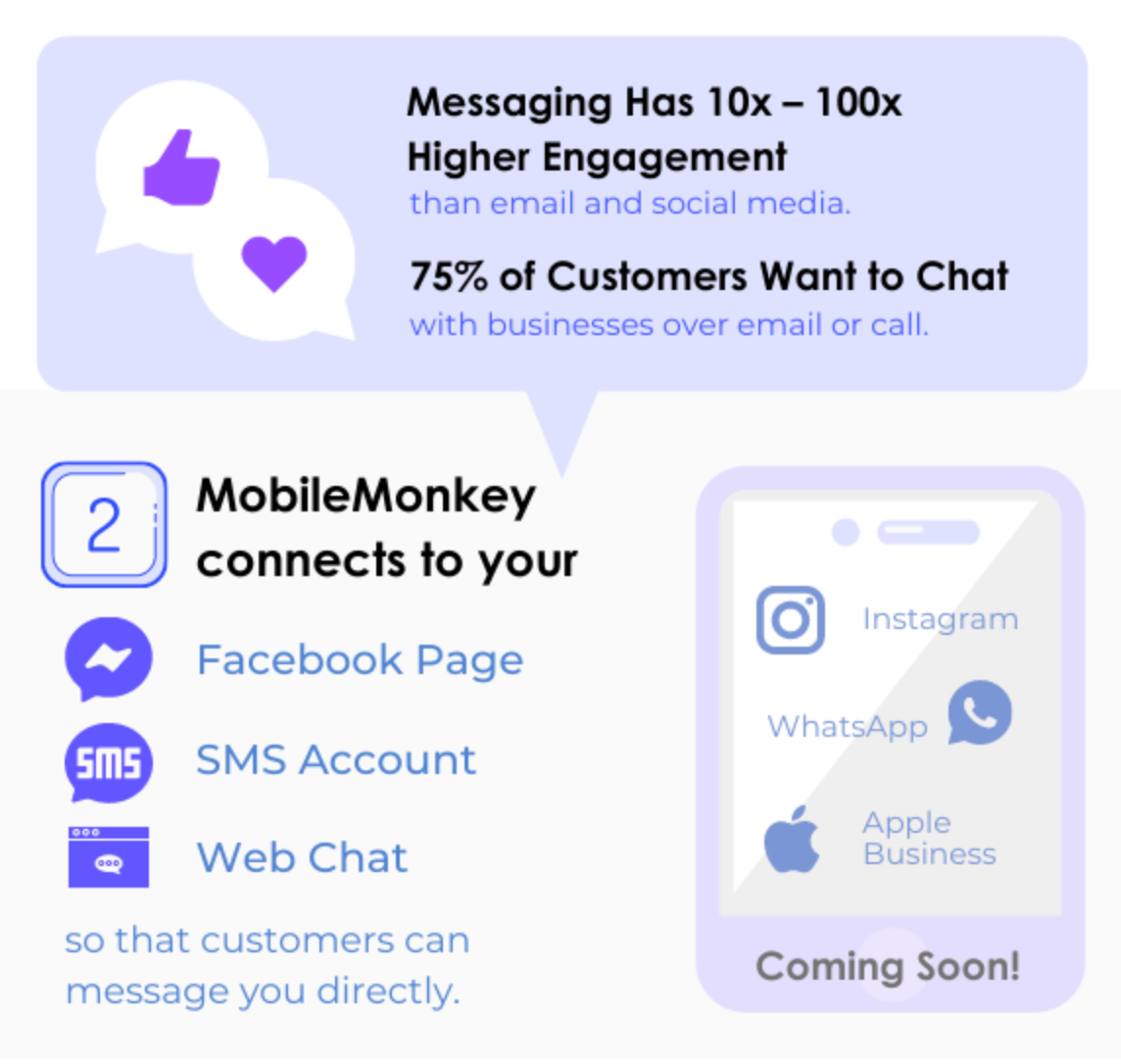
With MobileMonkey, everything you need for customer chat from Instagram marketing tools to Facebook messaging lead ads to live chat is available in a single platform.
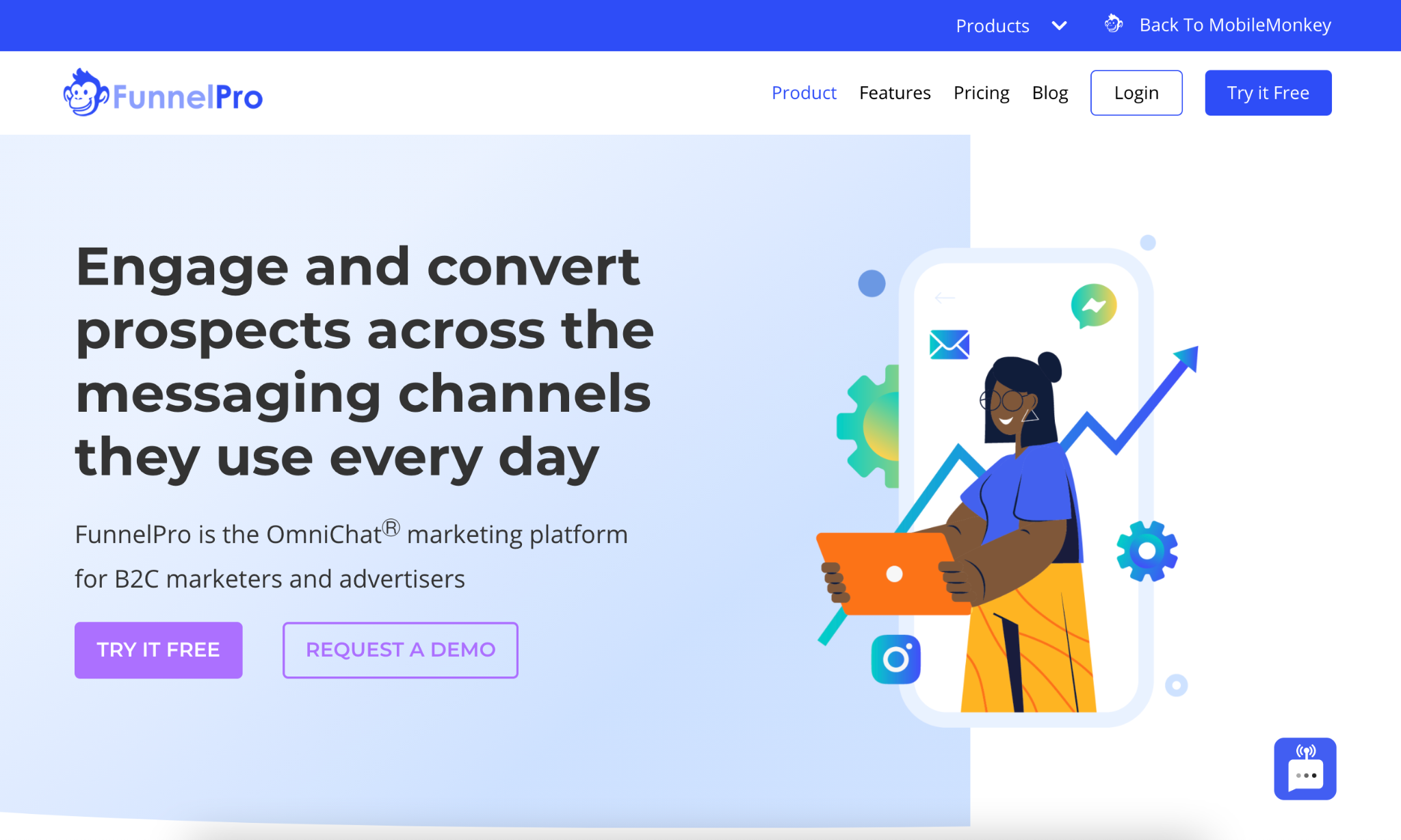
Not only can you use one inbox to view and respond to the incoming messages from all your messaging accounts, MobileMonkey makes it easy to set up automations to respond, collect lead info, and send leads straight into your other marketing systems.
I’m using MobileMonkey Instagram marketing tools to automatically reply to Instagram post comments and story mentions. It improves my Instagram engagement rate and boosts my content reach to gain more followers.
5. Trello
Trello is a digital marketing tool that helps you to manage projects and stay on the same page as your team–a sound digital marketing practice if you want to save time and frustration.
For example, you can share blog posts on Trello before you publish them. This gives others on your team the opportunity to review the post, weigh in with their thoughts and make changes that could strengthen the piece before it goes live.
In the past, before the days of Trello and similar programs, email was the best way to collaborate with your team. While this is still helpful, to a certain degree, it can lead to confusion, missed messages, and frustration.

With Trello, everything related to your online marketing strategy can be shared in the same place. It only takes a few minutes to set up a board. Even better, you can quickly invite your entire staff, all of whom can jump in on the action without delay.
Trello isn’t the only digital marketing tool of its kind, but it’s, by far, one of the best. When it comes to collaborating with others regarding marketing tasks, this tool is hard to beat.
6. Hootsuite

Social media plays a big part in the success of any company, regardless of size, age, or industry. In fact, I’d argue that social media marketing is a must to thrive in this digital era.
Digital marketing tools like Hootsuite allow you to schedule social media posts in advance, thus saving you loads of time.
Hootsuite offers tons of features to help you grow your business. For example, you can:
- Identify influencers for your marketing team and leads for your sales team
- Reply to comments and mentions through the dashboard–there’s no reason to visit each individual platform
- Take advantage of pre-written responses
- Schedule posts when your audience is most active (even if you’re asleep!)
Social media marketing is not as difficult as it sounds, especially when you rely on tools like Hootsuite. With this particular tool, you can schedule and manage social media profiles for more than 30 platforms.
Imagine doing this by hand, without a central dashboard to guide you. It would be enough to frustrate even the most experienced entrepreneur, let alone a new business owner. Let Hootsuite take over like the social media marketing manager it is.
7. Google Analytics
As one of the top free tools from Google, Analytics should be part of your digital marketing strategy from the very start. In fact, I’d argue it’s one of the most powerful digital marketing tools out there.
It only takes a couple of minutes to add the Analytics code to your website, giving you the ability to track every action by every visitor.
This is considered by many to be nothing more than a traffic tool, but it can actually have a big impact on your marketing strategy, if you know what you’re doing.
Take, for example, the ability to see where your traffic comes from:

Maybe you realize that a particular social media campaign is driving tons of traffic to your website. With this data, you can adjust your future strategy, in an attempt to capture the same results.
Or, maybe you find that a particular set of keywords is doing wonders for your organic traffic. Again, you can turn your attention to these keywords, ensuring that you keep these in mind as you create content down the road.
Google Analytics isn’t one of those digital marketing tools you can ignore. Installing this early on is a key decision, in regards to your digital marketing strategy. The data you can collect is extremely valuable.
8. KISSmetrics
The tagline of this digital marketing tool says it all:
Accelerate growth by seeing what’s happening on your website and apps.
It’s good that you want to spend so much time on digital marketing in the early days of your business. But, do you really want to make decisions that aren’t having an impact?
You need to track and analyze every move that you make, as this is the only way to focus on the tactics that are providing the best return on investment (ROI).
With KISSmetrics, you can easily see what’s working and what’s not, across all of your campaigns.
Take, for example, its Analytics products. With a funnel report, you can see if there are any “leaks” in your business. Here’s a screenshot of what to expect:

Starting at $120/month, KISSmetrics isn’t the cheapest digital marketing tool on this list. Even so, it’s one that you’ll want to think about, as your business gets up and running.
With a variety of products at your fingertips, the insights you receive will be invaluable to your company’s growth.
9. Followerwonk

Do you plan on spending a lot of time on social media marketing?
While this is a great way to engage your audience and send traffic to your website, it’ll only work in your favor if you have a solid plan in place.
Tools, such as Followerwonk, are designed to help you improve your social media marketing strategy, such as by digging into your Twitter analytics data.
I included this digital marketing tool on the list for two reasons: it’s easy to use and it’s extremely effective.
Followerwonk breaks down its service into three distinct categories:
- Find: Use the tool to search Twitter bios and compare accounts.
- Analyze: Breakdown your follower list by bio, location, who they follow, and many other criteria.
- Optimize: match your strategy to follower gains and losses, to understand what type of content performs best.
The only downside of Followerwonk is that it can’t be used with other social media management tools, such as Facebook, Instagram and LinkedIn. However, if you have big plans for Twitter, this is a digital marketing tool you should use often.
Even though you may not use it on a daily basis, it can come in handy from time to time. After all, it’s imperative that you understand your audience.

10. All in One SEO Pack
If WordPress is your content management system (CMS) of choice, you shouldn’t hesitate to install the All in One SEO Pack plugin.
A big part of your digital marketing strategy should be based around search engine optimization (SEO) and this digital marketing tool will ensure that you always make good decisions regarding your content and its appeal to search engines.
Some of the top features of the plugin include:
- XML Sitemap support
- Advanced Canonical URLs
- Automatic generation of META tags
- Compatible with most other plugins
- Automatically notifies major search engines, including Google and Bing, of any site changes
Even though all of these features are exciting, it’s something else that has made it one of the most popular WordPress plugins of all time: its ease of use.
Here’s a screenshot, showing a small portion of the tool’s back end:

You don’t have to make many decisions in order to get started. And, if you’re ever confused as to what you should be doing, there is help to be had. All you have to do is click the “?” symbol and you’re provided with more information and advice.
The All in One SEO Pack plugin has more than a million active installs. You won’t have to look far to find competitors, but there’s a reason why so many people use this digital marketing tool.
Not only is it free and simple, but it’s results can’t be denied. It will definitely help your website from an SEO perspective, which is something all new businesses need.
11. BuzzSumo
BuzzSumo is a big deal for people who need to learn more about their market.
When you start a business, it’s safe to say you know a thing or two about your industry and primary competitors. But, once you dig around more, you’ll find that there is tons of data you can use to your advantage.
If you want to better understand your competition or if you want to learn what type of content performs best with search engines and your audience, you don’t need any other digital marketing tool by your side.
A BuzzSumo search results page looks something like this:
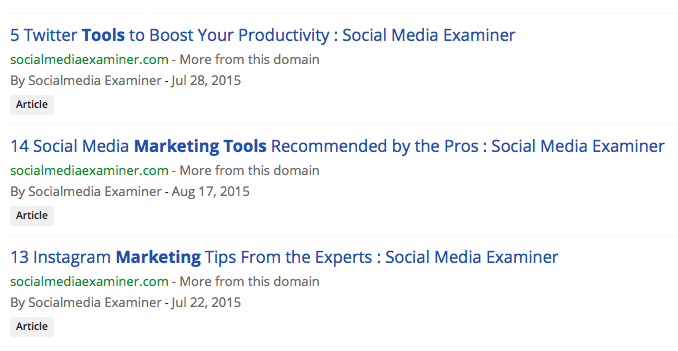
Additionally, there is high level data associated with each result:

This information can come in handy at many times, such as when you are creating content for your blog.
Why guess as to what is performing best in your niche? You can use BuzzSumo to answer this question with 100 percent accuracy.
With this search, you see that the top result has approximately 20k social shares. You now know what to strive for, if you want to achieve the same level of success.
As a big fan of BuzzSumo, this is a digital marketing tool that I use on a regular basis. Even if you don’t do much with the data at first, each search will help you to better understand your competition and target audience.
12. Crazy Egg

Do you ever find yourself asking this question: what’s working and what’s not about my website?
This is where Crazy Egg can step in and provide assistance.
There are two keys here:
- You can use Crazy Egg to make website changes that generate better results.
- You don’t need much, if any, IT help to get started.
When you’re new to your business, you don’t want to spend countless hours dealing with IT issues. Unfortunately, this often happens when it comes to split testing. Unless you use Crazy Egg, of course.
The tool is packed with features, such as:
- heatmaps and mouse recording
- analysis and reporting
- platforms and integrations
- targeting and personalization
- research and user feedback
A tool that helps you understand what your website visitors like and don’t like, so you can maximize your sales and leads, means that you have to give Crazy Egg a try. It’s one of those digital marketing tools that you don’t know you need, until you use it one time.
13. Ubersuggest

Not only is keyword research a challenging task, but it can also get expensive with the price of premium keyword research tools. Your typical free SEO tools won’t offer you much but Ubersuggest isn’t your typical free software.

As a whole, this digital marketing tool is easy for beginners because the dashboard is simple to navigate so you can quickly find the data you want. You’ll start by entering a root keyword or domain that you want to research. You get up to three free searches per day on the free version and you can upgrade to a paid software as well.
Ubersuggest provides useful keyword information such as total search volume, difficulty, and paid difficulty if you’re thinking of running an ad campaign around that keyword.

As you work your way down you’ll see historical data that will show you how that keyword has trended over time. This is helpful for determining seasonal keywords or ones that are popular now but may die off over time.
You also get keyword ideas and suggestions that are relevant to the one you’re searching for so you can update older content or develop a content marketing plan.
Overall, Ubersuggest is an amazing free keyword research tool that is a great choice for beginners and has enough value as a paid tool for those who are scaling as well.
14. CoFoundersLab
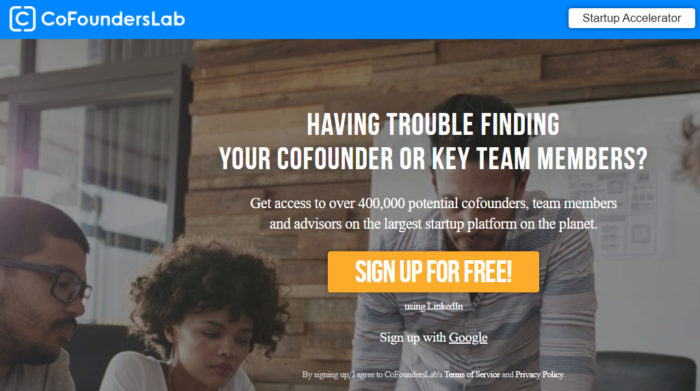
CoFoundersLab is a great digital marketing tool for small businesses that are growing but need a little help to take things to the next level. It uses AI to help you find a cofounder, additional member, or advisor based on a certain set of criteria.
The best digital marketing tools make life easier. CoFoundersLab intends on helping to create a large ecosystem of business owners, entrepreneurs, consultants, and advisors so it’s that much easier to find whatever you need at the current stage in your business.
For example, you can search for someone with a specific skill and find them instantly without having to post on job boards, conduct interviews, and do onboarding. If you’re looking for an SEO content creator, you’ll simply fill out that set of criteria and be instantly connected to someone who can fill that role.
It’s similar to other freelancing platforms out there, but what separates CoFoundersLab is you can find someone who is on the same level. If you’re looking for someone to financially back your business or simply support you equally in your venture, this might be the place to do it.
15. Adobe Sign

When it comes to must-have digital marketing tools, Adobe Sign more than makes the cut. It’s a cloud-based e-signature service that helps you use less paper, save time, and get signatures using an automated signature system. You can send documents, sign, and manage the whole process via desktop or mobile device.
There are also integrations to keep records of all the signatures you’ve received so you can reference back if you lose something important.
This simple but useful tool solves a major problem that a lot of businesses have. More and more people are working remotely and may not have access to printers and scanners. This creates delays in your workflow and can frustrate customers if you’re unable to get them what they want because you’re waiting on signatures and approvals.
Adobe Sign is also usable from anywhere on any device. Someone can be on their way to a meeting in the car and sign on their mobile device using their fingertip. No need to print anything, scan, fax, anything. It’s completely digital, safe, and secure.
16. DropBox

DropBox is an essential piece of the modern digital business. It allows all the working pieces of your business to come together in one place to eliminate clutter and save time looking for things.
Organization is the key to a successful business, and downloading and sharing files simply doesn’t cut it anymore. With people working from home, you can’t have everyone downloading personal company files onto their computers, misplacing them, or potentially abusing them.
DropBox prevents this from happening by being a totally cloud-based document sharing platform that allows you to set permission levels so certain people can only see what they need to.
You can also connect other tools like Slack and Zoom to DropBox so you have everything in one place. All company data stays in one place so it’s organized, safe, and accounted for.
If you’re still manually downloading files to your computer, attaching them to emails, and sending them off into space, you’ll find DropBox is a much more efficient and safer way to keep track of documents and document sharing in your business.
17. Full Access to Suite of Gmail Products

I don’t know where I would be without the full line of Gmail products. There used to be a time when we’d create pieces of content in Word platform, download it, and then attach it to an email and send it off.
The next person would mark it up with notes and adjustments, send it back, and the process would start over.
Thankfully, those days are long gone.
With Google Docs and Sheets, you can share documents in real-time and actually mark them up with the writer looking at them so you can see what they’re doing. There’s a chat feature and a suggestion area, too where you can ask questions and provide responses as to why a certain adjustment was made.
There’s a level of security and protection here, as well. Different permission levels ranging from “view” to “edit” give you complete control over your documents. If you’re sending a document off as a reference to something, you might not want that person to make any changes to it without making a copy for themselves, the Gmail Suite of products can do that.
Plus, everything syncs with your Google Calendar. If you’re talking in an email about setting up a call in three days, you can instantly set that appointment on your calendar and you’ll receive reminders across all your devices.
18. ODeskWork

oDeskWork is a freelancer platform that connects you with the right virtual assistant or freelancer to support your business. At some point, every business needs to start hiring. No matter what business you’re in, to grow and scale, you need a support system because you can’t do everything.
This is where digital marketing tools like oDeskWork come into play. You can upload current projects that you need completed, browse profiles, and start communicating with potential candidates.
The platform also offers payment protection, so you ensure you get the services you anticipated. Payments are only released to the freelancer when you’re satisfied with the work they completed.
oDeskWork has experts and freelancers in all different kinds of niches including digital marketing, virtual assisting, transcribing, proofreading, writing, editing, SEO, WordPress, and more.
19. Upwork

Upwork is a freelancer platform that connects you with qualified candidates who can help your business grow, making it a must-have digital marketing tool. What I like most about Upwork is the transparency you get and the fact that you can see all types of work that the freelancers have completed.
For example, if you’re browsing for someone to build you a WordPress website, you wouldn’t hire someone without first seeing what type of work they do, right?
The platform will show you examples of their work, their job success rating, a description of their skills, their rate per hour, as well as any badges they’ve earned for continuous performance.
When you’re searching for tools for digital marketing agencies, the last thing you need is to waste time with people who can’t deliver. Upwork ensures that doesn’t happen with their escrow protection as well. None of the money you pay for a job will be released until you are happy with it.
I also find that Upwork is a great place to find long-term working relationships with freelancers that you can use on an ongoing basis versus a one-off job.
20. Fiverr

I like to think of Fiverr as Upwork’s little brother. When you’re looking to create long-term working relationships and hire someone who can really provide you with a premium service, you should turn to Upwork.
Sometimes though, you’re just looking for a quick job that someone can turn around fast for an affordable price. For example, if you need someone to do up a quick logo for an affiliate site for five dollars, Fiverr is the way to go.
One thing I really like about Fiverr is you can quickly sift through freelancers using the search feature. Type in the service you’re interested in, and you’ll find information such as overall rating and average starting cost.
Fiverr also provides certain freelancers with titles like “top-rated seller” and “level 2 seller.” These will help you determine what level of experience you’re looking for in the job you need to be completed. The best digital marketing tools offer this kind of trust.
This tool is best for one-off jobs that are lower budget and not as difficult, but I wouldn’t recommend hiring off Fiverr for anything too involved such as link building or content creation.
21. OmniFocus

Need to stay on task? This digital marketing tool can help.
OmniFocus is a task management tool that helps you manage all your operations in one place. You can keep track of everything that’s going on all from your browser or mobile device.
You can tag certain projects, assign them to the individual you want to complete them, and set due dates so you can lay out your week in the most productive way possible. As work comes in, you can assign support workers to handle the task and close it out when it’s complete.
One of my favorite things about OmniFocus is the forecast feature where you can get an overall snapshot of what you have coming up in the future including recurring tasks that might only happen once per quarter, bi-annually, or even every few years. This ensures that no one forgets anything.
The main downside is that this tool is only available for Apple users at this point. For all the Windows and Android people out there, you’ll have to go with something else like Trello or ClickUp for now.
22. Zoom

We all know Zoom as the video conferencing software used to bring people together no matter where they are on the planet. We’re all facing our own unique remote working situation but we still need to connect sometimes and Zoom allows that to happen. The best digital marketing tools help bring businesses together.
You can share your screen, draw on the screen, record meetings, and invite others to join in as well. Zoom offers free video conferencing for up to 100 participants for up to 40 minutes.
If you’re holding a one-on-one meeting that runs longer than 40 minutes, I’ve found in the past that Zoom will often extend the meeting for free with no time limit.
23. Toggl

Toggl helps bring this list of digital marketing tools together. For all the work you’re doing, freelancers you’re managing, and documents you’re sharing; you need to have an idea of how long everything takes.
This tool does that with time tracking, reporting, and project planning. You can use Toggl to get an accurate representation of how long a task or project will take so you can know how many resources you need to allot for next time.
Toggl offers a few different tools for time tracking, project planning, and candidate-screening so it’s an all-inclusive tool for businesses that manage a remote team.
Digital Marketing Tools FAQs
Google Analytics, MailChimp, and Ubersuggest are the most affordable and useful digital marketing tools.
Google Analytics and Google Suite are free (or mostly free) and offer tons of useful data. Many other tools, like Ubersuggest and Mail Chimp, offer limited free plans that still provide the crucial data you need to grow your business.
Your marketing stack will vary based on your goals and business, but look for an analytics platform, like Google Analytics, an email marketing tool like MailChimp, and an all-in-one SEO tool like Ubersuggest.
Consider the challenges you face and where you spend the most time. For example, if social media monitoring is a challenge, then look for a tool that can schedule posts and monitor mentions. Do a competitor analysis to see where you are falling short and look for tools to help.
Finally, look at the reviews to see which tool offers the features, support, and pricing plans that work best for your business.
Digital Marketing Tools Conclusion
Starting or growing a business isn’t easy, but it doesn’t have to be overwhelming, either.
The first step is to create a strong digital marketing strategy–one that incorporates social media marketing, search engine optimization, email marketing, and consistent, valuable content that truly speaks to your audience.
Ensuring your business succeeds means using the right digital marketing tools at the right time. It’s my hope that this list will help you in your digital marketing efforts and bring you the success you seek.
Are You Using Google Ads? Try Our FREE Ads Grader!
Stop wasting money and unlock the hidden potential of your advertising.
- Discover the power of intentional advertising.
- Reach your ideal target audience.
- Maximize ad spend efficiency.